Zombie Tools Are Eating Your Productivity — How to Spot and Ditch Them Before It's Too Late
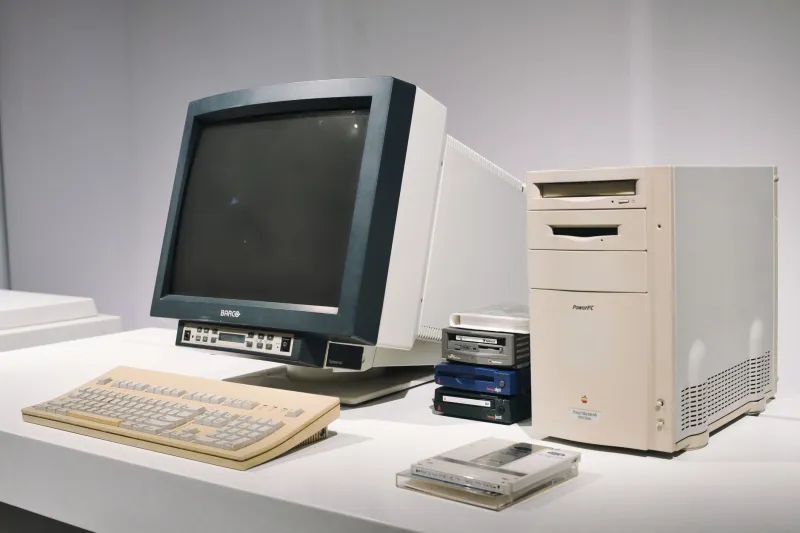
There's a particular kind of dread that hits when you're deep in a project and you realize the tool holding a critical piece of your stack together hasn't had a commit in 14 months. No changelog. No response to open issues. Just a GitHub repo sitting there like a digital ghost town, tumbleweeds rolling past unanswered pull requests.
This is the zombie tool problem — and it's way more common than most developers and creators want to admit.
We spend a lot of time talking about adopting new tools. There are listicles, comparison guides, and Reddit threads dedicated to finding the next great thing. But almost nobody talks about the cost of holding onto tools that have quietly died while still technically functioning. That silence is expensive.
What Makes a Tool a "Zombie" in the First Place?
A zombie tool isn't necessarily broken. That's what makes it so insidious. It still runs. It still does the thing it was built to do — most of the time. But underneath the surface, it's rotting.
Here's what that actually looks like in practice:
- No meaningful updates in 12+ months for a tool operating in a fast-moving ecosystem (security libraries, API wrappers, and anything touching auth are especially dangerous here)
- Unresolved critical issues piling up with no maintainer response
- Dependency drift — the tool hasn't kept pace with updates to the languages or frameworks it relies on
- Docs that reference outdated versions of other tools or services
- A community that's gone quiet — Stack Overflow threads unanswered, Discord servers empty, forum posts from 2021 with no replies
The tool might still technically work today. But you're one Node version bump, one API deprecation, or one security patch away from a very bad afternoon.
The Productivity Drain You're Not Measuring
Here's the thing about zombie tools: their cost doesn't show up in your invoices. It shows up in your time.
Think about how many hours you've spent working around a tool's quirks rather than through them. Writing custom shims. Pinning dependency versions to avoid breakage. Hunting through archived forum threads to figure out why something stopped working after an OS update. That's not development — that's maintenance debt you never signed up for.
There's also the cognitive overhead. When you know a tool is shaky, part of your brain is always running a background process of low-grade anxiety. You hesitate before updating anything. You double-check outputs more than you should have to. You mentally flag it as a "known risk" every time you scope a new feature.
That mental load adds up. And it's completely invisible on any productivity dashboard.
Real Tools That Became Real Liabilities
This isn't hypothetical. The history of the web is littered with once-beloved tools that quietly became millstones.
Bower was the front-end package manager before npm and Yarn took over. For a few years, it was everywhere. Then the ecosystem moved on, and teams that kept Bower in their stack found themselves maintaining a dependency that the broader community had essentially abandoned. Migrating away was painful — but staying was worse.
Grunt had a similar arc. It was the build tool of its era, genuinely useful, widely adopted. Then Gulp came along, then Webpack, then Vite. Teams that built deep Grunt integrations found themselves maintaining those configs long after the community knowledge base had dried up. Finding developers who knew Grunt became harder. Troubleshooting edge cases meant digging through years-old documentation.
More recently, several no-code and low-code platforms that gained traction during the 2020-2021 boom have quietly wound down or pivoted, leaving creators with workflows built on tools that are either shut down or functionally frozen. If you built a content automation pipeline on a platform that stopped shipping features two years ago, you already know the feeling.
How to Evaluate Tool Longevity Before You Commit
The best time to think about a tool's lifespan is before you adopt it — not after you've woven it into your stack.
A few signals worth checking:
Commit cadence matters, but context matters more. A mature, stable utility library that hasn't had commits in a year might be perfectly fine — it's done. An API integration tool for a service that updates frequently and hasn't been touched in a year? Red flag.
Look at who's maintaining it. A single-maintainer open source project is a different risk profile than something backed by a company or a large contributor community. Neither is automatically bad, but you should know what you're getting into.
Check the issue tracker for responsiveness. Not the number of open issues — the quality of responses. Are maintainers engaging? Are PRs getting reviewed? A tool with 200 open issues and active maintainer responses is healthier than one with 20 issues and radio silence.
Follow the money (or the mission). For paid tools, look at funding history and business model sustainability. For open source, look at whether there's organizational backing. Tools that exist because one person is passionate about them are great — until that person burns out or moves on.
Migrating Away Without Blowing Up Your Stack
Okay, so you've identified a zombie tool in your workflow. Now what?
The worst thing you can do is rip it out all at once. The second worst thing is waiting until it actually breaks.
The move is to treat it like any other technical debt: acknowledge it, prioritize it, and address it incrementally.
Start by mapping the blast radius. Where exactly does this tool touch your stack? What depends on it? Build a clear picture before you touch anything.
Research replacements before you commit to removal. Don't just yank the zombie out — know what's going in its place. Evaluate that replacement using the longevity criteria above. Don't trade one liability for another.
Build in a parallel period. Where possible, run the old tool and the new one side by side for a sprint or two. This gives you a fallback and catches integration issues early.
Document the migration. Future you — and your teammates — will thank you. A short internal doc explaining why the old tool was replaced and how the new one works prevents the whole cycle from repeating.
Keeping Your Stack Clean Going Forward
The real lesson here isn't just about zombie tools — it's about treating your toolkit as a living system that needs regular maintenance, not just expansion.
Set a calendar reminder once a quarter to do a quick health check on the tools you depend on most. It doesn't have to be a deep audit — just a quick scan of recent activity, open issues, and community health. Fifteen minutes per tool, a few times a year, can save you from a multi-day migration crisis down the road.
The best tool stacks aren't the ones with the most tools. They're the ones where every tool in the lineup is actively maintained, well-supported, and earning its place. Everything else is just dead weight waiting to cause problems.
Don't let the zombies win.